🏢 ERGONOMICS IN OFFICE DESIGN & SPACE PLANNING 🏢
Modern offices are no longer just places to sit and work — they are environments that directly influence health, comfort, productivity, and well-being. Poorly designed office spaces can lead to discomfort, fatigue, musculoskeletal disorders (MSDs), and reduced performance.
Ergonomic office design and space planning focus on creating work environments that fit people — supporting movement, posture, collaboration, and focus throughout the workday.
🧠 What Are Ergonomic Office Design?
Ergonomic office design applies human-centered principles to layout, furniture, equipment, and workflows. It ensures that employees can work comfortably, safely, and efficiently — regardless of their role or work style.
Good office ergonomics considers:
- Physical comfort and posture
- Visual and acoustic comfort
- Task flow and accessibility
- Movement and flexibility
- Individual differences among workers
💡 Why Ergonomics Matters in Office Planning
Office design directly affects how people feel and perform. Poor planning can result in:
Neck, shoulder, and back pain
Eye strain and headaches
Noise-related stress and distraction
Prolonged static sitting
Inefficient movement and workflow
Well-planned ergonomic offices deliver measurable benefits:
- Improved productivity and focus
- Reduced MSD risks and discomfort
- Enhanced employee satisfaction
- Better collaboration and communication
- Lower absenteeism and turnover
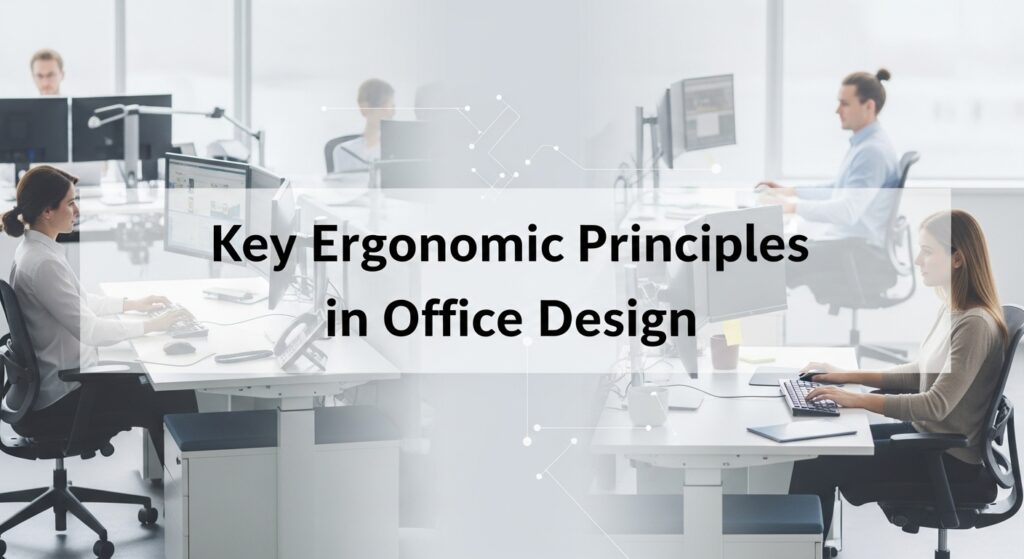
Key Ergonomic Principles in Office Design
- Workstation Ergonomics
- Adjustable chairs with lumbar support
- Height-adjustable desks or sit-stand workstations
- Screens positioned at or slightly below eye level
- Keyboards and mice placed for neutral wrist posture
Each workstation should adapt to the user — not the other way around.
- Space Planning & Layout
- Provide adequate legroom, reach space, and circulation areas
- Keep frequently used items within easy reach
- Design clear walkways to reduce clutter and interruptions
- Position shared equipment (printers, storage) to encourage movement
- Movement-Friendly Design
- Encourage posture changes throughout the day
- Include sit-stand options and breakout areas
- Design layouts that support short walking breaks
- Apply principles like the 20-8-2 rule (sit, stand, move)
Movement is essential for musculoskeletal and cognitive health.
- Visual Ergonomics & Lighting
- Maximise natural light while controlling glare
- Use adjustable task lighting
- Ensure even, sufficient illumination across work areas
- Position screens perpendicular to windows where possible
Proper lighting reduces eye strain and improves accuracy.
- Acoustic Comfort
- Use sound-absorbing materials and partitions
- Separate quiet zones from collaborative spaces
- Reduce background noise from equipment
- Provide phone booths or focus rooms
Good acoustics support concentration and reduce stress.
- Inclusive & Flexible Design
- Design for different body sizes, abilities, and work styles
- Use adjustable furniture and modular layouts
- Provide options for focused, collaborative, and informal work
- Support hybrid and activity-based working
Inclusive design ensures comfort for everyone.
🌿 Practical Tips for Ergonomic Office Planning
- Involve employees in design and layout decisions
- Pilot new layouts before full implementation
- Conduct ergonomic assessments after office changes
- Train staff on proper workstation setup
- Review and update designs as work needs evolve
Ergonomics is most effective when built into planning — not added later.
🌞 Final Thoughts 🌞
Ergonomics in office design is about more than furniture — it’s about creating environments that support how people actually work.
A well-designed ergonomic office promotes:
✨ Comfort
✨ Health
✨ Productivity
✨ Collaboration
✨ Long-term sustainability
💚 When office spaces fit people, people thrive.💚
Design smart. Plan thoughtfully. Work comfortably.