Office Ergonomics: Working Comfortably, Staying Healthy
Most of us spend long hours at our desks, often without realizing the impact our work environment has on our health. Poor office ergonomics can lead to back pain, stiff necks, tired eyes, and even long-term musculoskeletal disorders (MSDs). The good news is that small ergonomic improvements can make a big difference in comfort, health, and productivity.
What is Office Ergonomics?
Office ergonomics is about designing the workplace to fit the worker, rather than forcing the worker to adapt to a poor setup. It focuses on how furniture, equipment, and work habits interact with the human body, aiming to prevent injuries and improve overall well-being.
Key Elements of Good Office Ergonomics
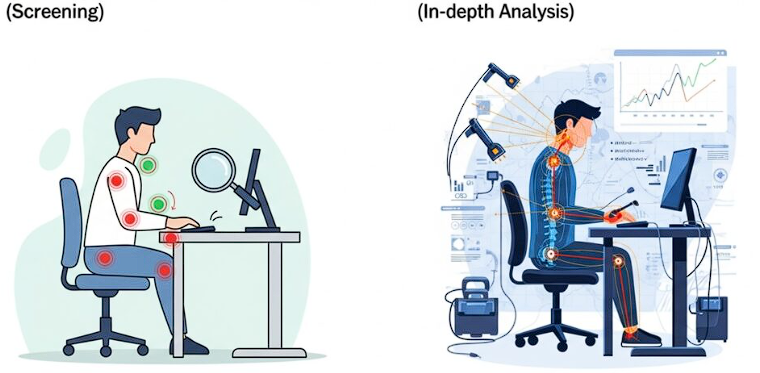
According to the ergonomics guidelines, advanced ERA involves deeper analysis tools, methods, and professional expertise. Some important aspects include:
1. The Chair
Choose a chair with adjustable height, backrest, and armrests.
Sit with feet flat on the floor (or on a footrest if needed).
Keep your hips slightly above your knees to reduce pressure on the lower back.
2. Desk and Monitor Setup
Your monitor should be at eye level and about an arm’s length away.
Avoid leaning forward — let your chair support your back.
Keep items you use frequently within easy reach to avoid awkward stretching.
3. Keyboard and Mouse
Place your keyboard and mouse at elbow height.
Keep wrists straight and relaxed, not bent upwards.
Consider using an ergonomic keyboard or mouse to reduce strain.
4. Lighting and Environment
Position your screen to avoid glare from windows or overhead lights.
Use task lighting if needed.
Maintain a comfortable room temperature and reduce noise distractions where possible.
5. Movement and Posture
Avoid staying in one position too long.
Take short breaks every 30–60 minutes to stand, stretch, or walk.
Practice “active sitting” by changing positions throughout the day.
Benefits of Good Office Ergonomics
Better Health: Reduces risk of back pain, neck strain, and repetitive stress injuries.
Higher Productivity: A comfortable worker stays focused longer.
More Energy: Less fatigue and discomfort means better overall well-being.
Employee Satisfaction: Shows care for staff welfare, boosting morale and retention.
Quick Ergonomic Tips You Can Start Today
Adjust your chair before adjusting yourself.
Keep your screen at eye level by adjusting the height to prevent neck strain.
Use a headset for frequent calls instead of cradling the phone.
Stretch your shoulders, wrists, and back regularly.
Follow the 20-20-20 rule for eyes: every 20 minutes, look 20 feet away for 20 seconds. Preferably look at something that is green like a plant and this will relax the eyes from the strain.
Final Thought:
Office ergonomics isn’t just about comfort — it’s about preventing long-term health problems and supporting a healthier, happier workforce. With a few smart changes, your office can be a place where productivity and well-being go hand in hand.